"Can I use a barcode scanner with QuickBooks Online?" gets asked a lot, and the honest answer is: it depends what you want the scanner to do. Typing an item into a form is one job. Checking that the right sofa is going on the right truck is a very different one.
What QuickBooks offers natively
Intuit's own barcode-scanning instructions are written for QuickBooks Desktop, where a scanner can be used to add items to sales and purchase forms. In QuickBooks Online, you can store a SKU on each product, and a USB scanner in "keyboard mode" will type whatever it reads into the field your cursor is in. But in Intuit's own community forum, users report that QuickBooks Online doesn't offer the dedicated barcode workflow Desktop has, and the suggested answers usually point to third-party apps.
So in practice, QuickBooks Online on its own lets you type with a scanner. It doesn't give you scan-driven inventory operations.
Three different jobs people mean by "barcode scanning"
1. Point-of-sale scanning
Ringing up items at a counter. This is usually handled by a POS system that syncs sales to QuickBooks, not by QuickBooks itself.
2. Receiving and counting
Scanning goods as they arrive, or during a stocktake, to record quantities. Useful, and offered by many inventory add-ons.
3. Picking verification
Scanning each piece as it's pulled for a specific order, so the system can confirm it's the right item, colour and quantity — and refuse the wrong one before it leaves. This is the one that prevents the most expensive mistakes, and it's the one QuickBooks has no concept of, because QuickBooks doesn't track orders through the warehouse.
What good picking verification needs
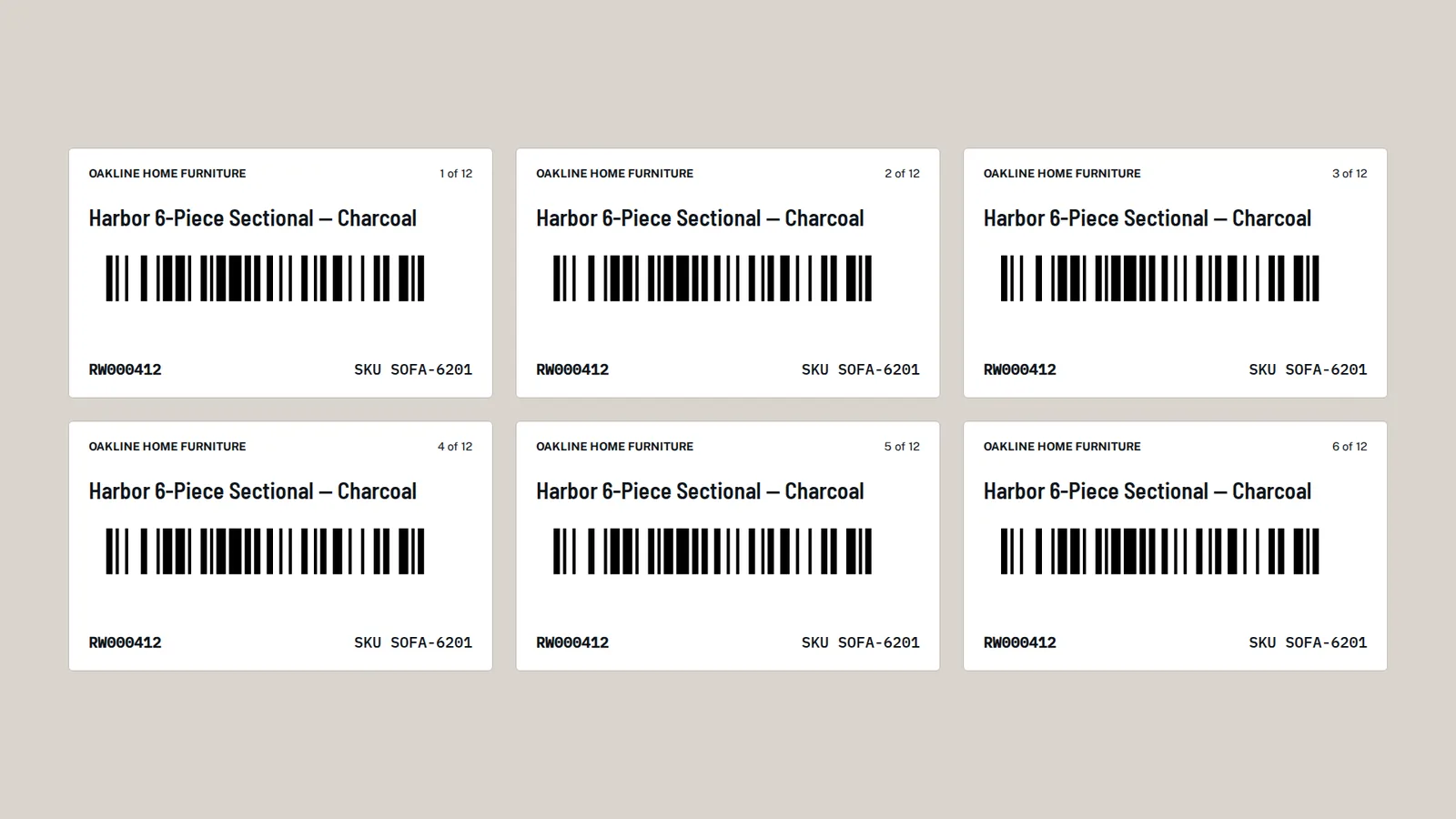
- A unique label per piece, not just per product. Three identical sectionals need three different stickers so the system knows which one was picked.
- The order on the scanner. The person picking needs to see what this order needs, and the scanner needs to compare against it.
- Instant, unmistakable feedback — a clear "yes" for the right item and a clear "no, and here's why" for the wrong one: not on this order, already picked, or unknown code.
- No special hardware lock-in. A phone camera works for most small warehouses; a handheld laser scanner is faster for high volume. Ideally both work.
- Protection against double counts, so a repeated scan or a bad signal never deducts stock twice.
- A record of every scan, including the refused ones, with who and when.
Labels: the part people underestimate
Most of the effort in a barcode rollout isn't the software — it's getting labels onto stock. Two tips that make it manageable:
- Start with what sells most. Label your fastest-moving items first; you'll get most of the benefit within days.
- Label on the way in. Print labels for incoming deliveries before the truck arrives, and apply them as goods are unloaded. Within a few weeks, most stock is covered without a dedicated labelling day.
Your options with QuickBooks Online
- Scanner as a keyboard — cheap and quick for data entry, no picking verification.
- An inventory app with barcode features — many connect to QuickBooks Online. Check whether it supports per-piece labels and order-based picking, not just counting.
- A warehouse layer built around your QuickBooks company — what we do at Rinko Books.
Our warehouse layer for QuickBooks Online prints a label for every piece, lets the crew scan with a phone camera or a handheld scanner in the browser, shows green and a rising beep for the right item and red and a buzz for the wrong one, and records every scan. Orders come straight from your QuickBooks invoices.
See it on your own QuickBooks company
A 20-minute call. We'll look at how orders move through your business today and show you exactly where the gaps are.
Book a 20-minute demo →Frequently asked questions
Does QuickBooks Online support barcode scanning?
Not for warehouse picking. You can store SKUs, and a scanner in keyboard mode will type codes into fields, but Intuit's dedicated barcode features are documented for QuickBooks Desktop. Picking verification needs an add-on or a warehouse layer.
Can I use my phone as a barcode scanner with QuickBooks Online?
Not natively. Some inventory apps and warehouse tools that connect to QuickBooks Online use the phone camera as a scanner in the browser or in their own app.
QuickBooks and QuickBooks Online are trademarks of Intuit Inc. Rinko Books' warehouse software works with QuickBooks Online; it is an independent product and is not made, endorsed, certified or sponsored by Intuit.